Open certificate
Starting with version 3.4 you can get a certificate for your achieved learning goals in chunkx. The contents on the certificate depend on the respective author. So please contact them if you have any questions about this. Now we will explain how to open the certificate.
Option 01
Visit channel page
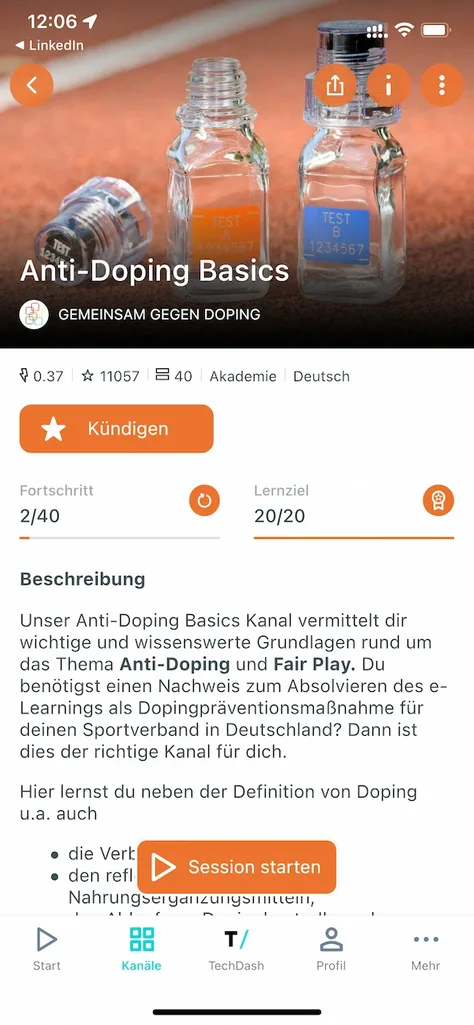
Visit the channel page where you completed your certificate.
Open certificate
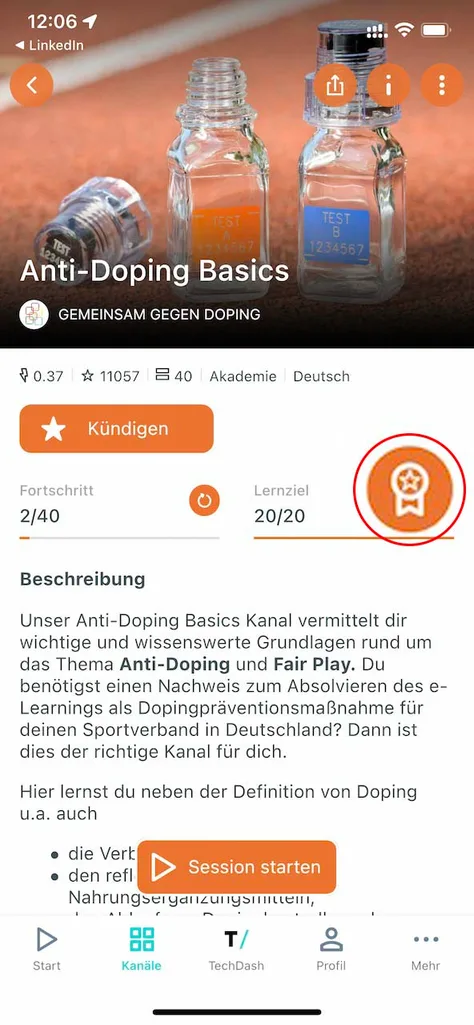
Click on the medal icon above your learning goal progress to open your certificate.
Share certificate as PDF
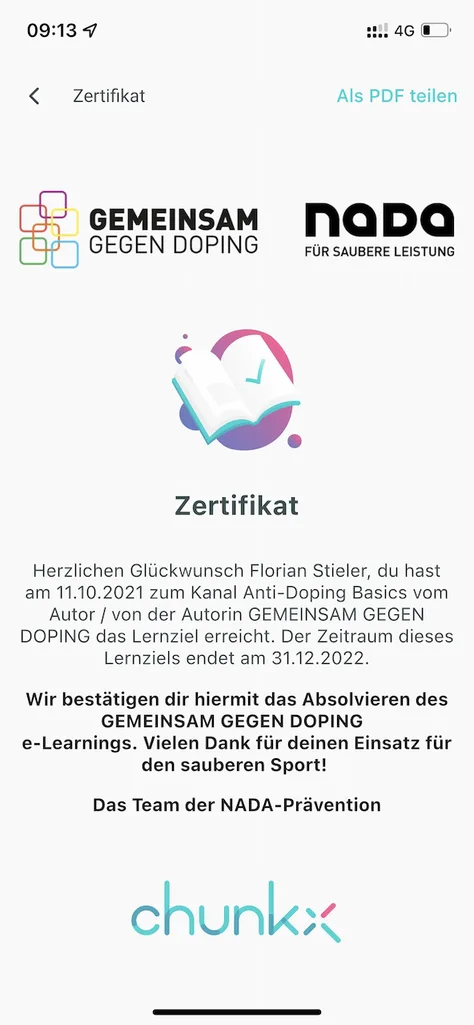
On the left you can see an example of an achieved certificate of our CEO Florian Stieler to the channel of GEMEINSAM GEGEN DOPING.
You can share your certificate as a PDF using the button in the upper right corner. Depending on your phone’s operating system and depending on the apps you have installed, you have different options. E.g. forward the PDF via email or save it locally on your cell phone.
Web version:
Please note that in the chunkx web version it is not possible to share the PDF, the button will only download the PDF.
Option 02
Open profile
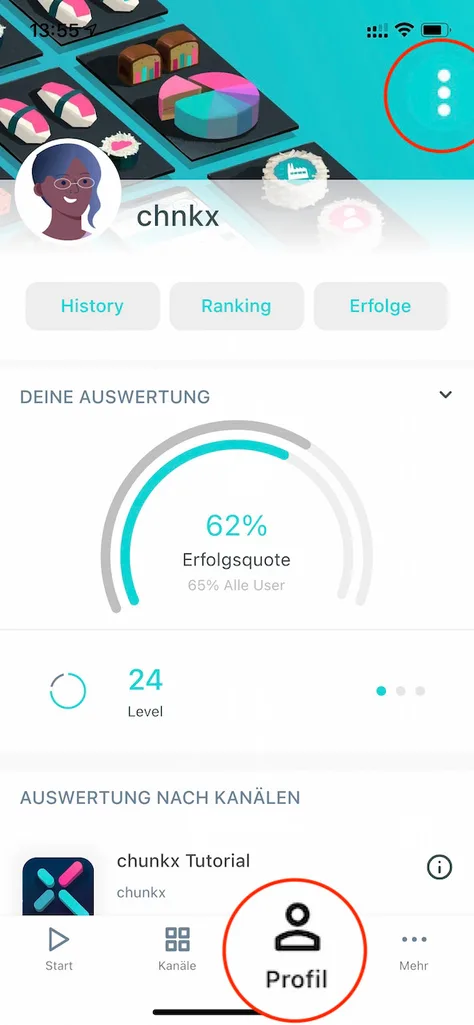
Go to your “Profile” and open the menu in the upper right corner.
Open learning objectives
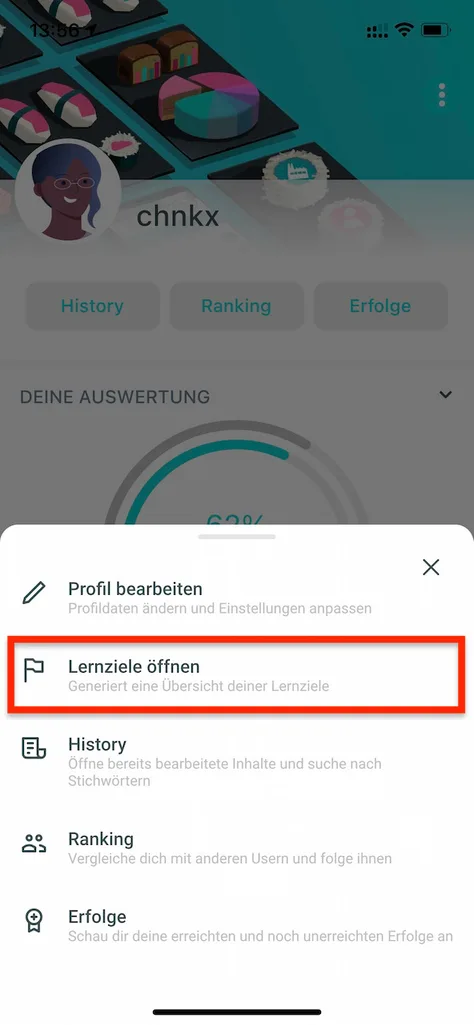
You can find the overview of all your open and completed learning objectives in chunkx under the menu item “Open learning objectives”. Here you will also find the option to receive a certificate for the completed learning objectives.
Open certificate
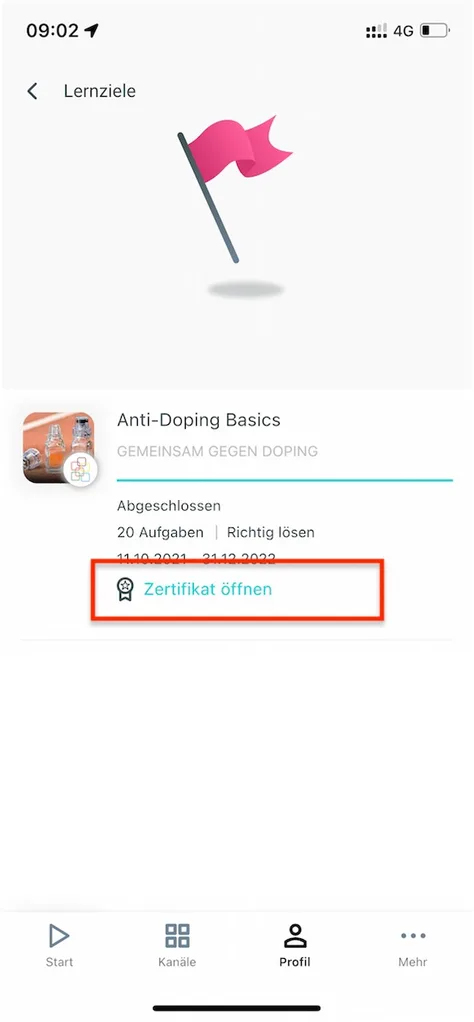
For completed learning objectives you will see the small icon and the button “Open certificate”.
Share certificate as PDF
On the left you can see an example of an achieved certificate of our CEO Florian Stieler to the channel of GEMEINSAM GEGEN DOPING.
You can share your certificate as a PDF using the button in the upper right corner. Depending on your phone’s operating system and depending on the apps you have installed, you have different options. E.g. forward the PDF via email or save it locally on your cell phone.
Web version:
Please note that in the chunkx web version it is not possible to share the PDF, the button will only download the PDF.