Change profile data
You want to change your personal data in chunkx? No problem, we show you how.
Open profile
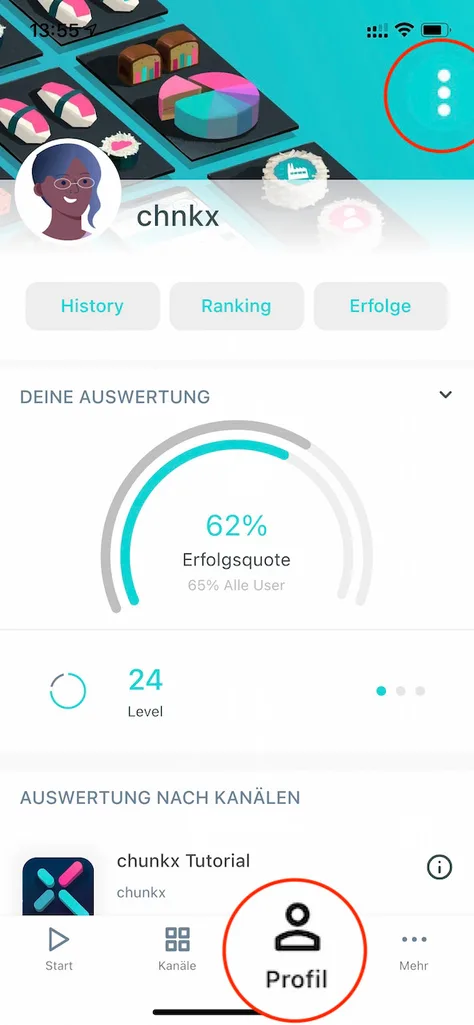
Go to your “Profile” and open the menu in the upper right corner.
Edit profile
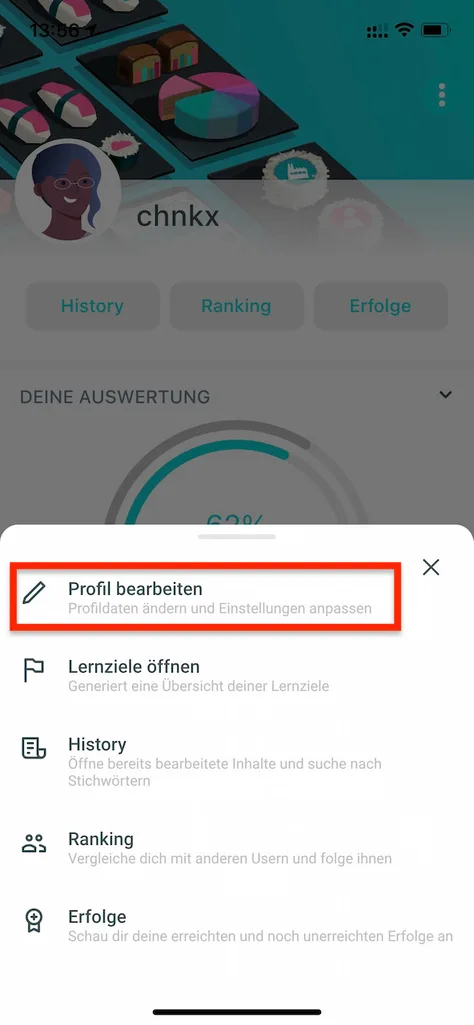
Simply select “Edit profile” from the menu and get started.
From change password to notification settings
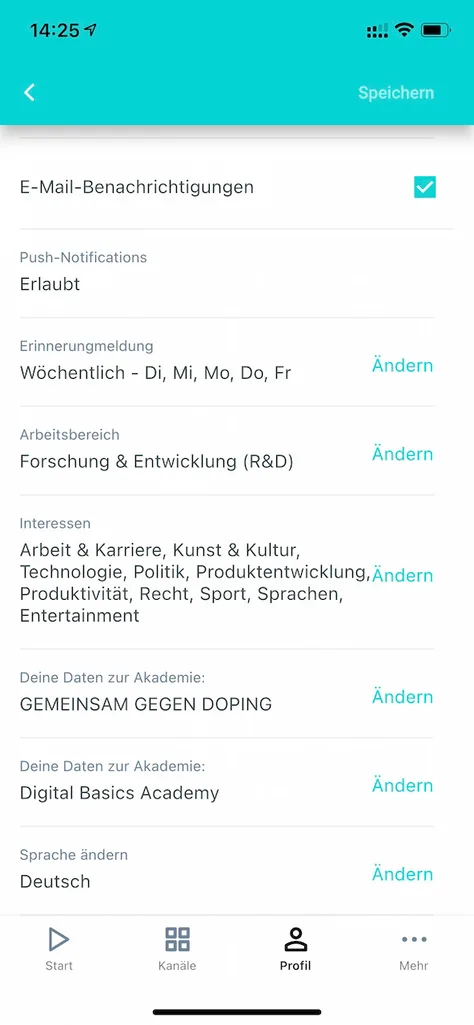
In the “Edit profile” section you can customize a lot. E.g. choose another avatar, upload your own picture, change your password or correct your academy data.
Delete account
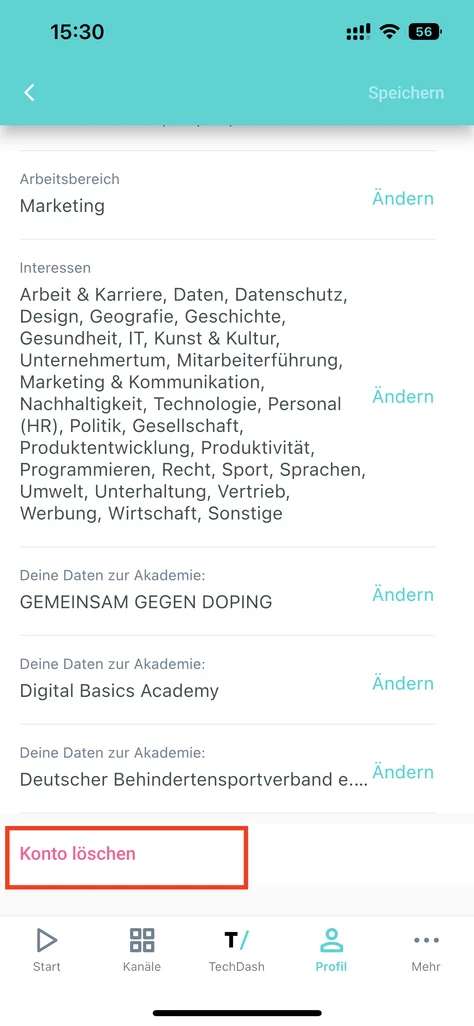
You also have the option to delete your account in the lower profile area.