Delete account
Would you like to delete your chunkx account and your personal data? No problem. We’ll show you how to do it yourself in our app and web app. If you are not a user of one of our apps or have problems deleting your account, please write to us at support@chunkx.io from the email address you use in chunkx.
Open profile
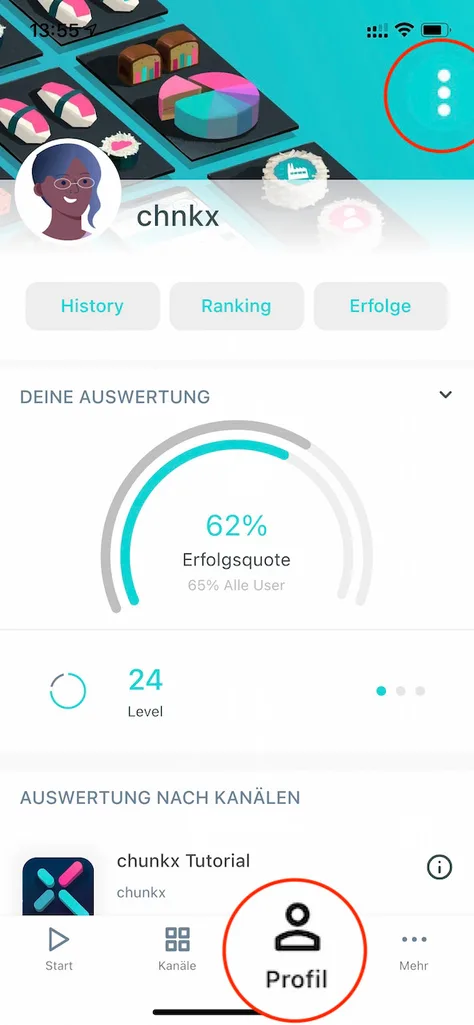
Go to your “Profile” and open the menu in the upper right corner.
Edit profile
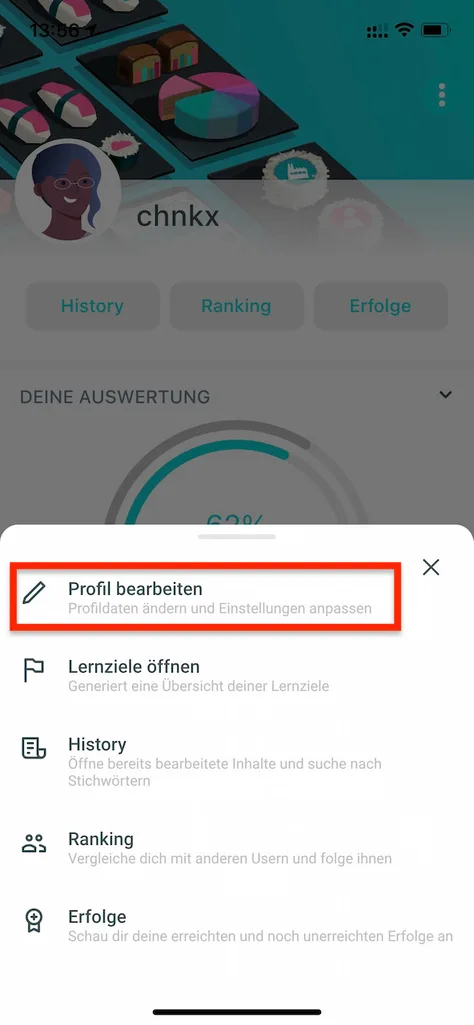
Select “Edit profile” and then scroll all the way down.
Delete account
Scroll to the bottom. There you will find the “Delete account” function. Please note that you will need to enter your password for security reasons. We will then delete your account and your personal data from our database. Restoration is not possible.